游戏清单下载
请选择以下任意链接下载游戏清单文件,下载后请参考安装教程进行配置
游戏介绍
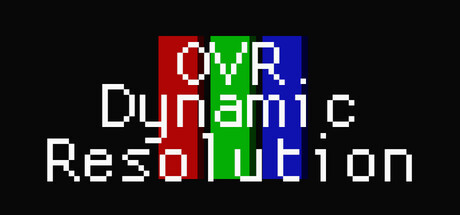
Lightweight OpenVR app to dynamically adjust your HMD’s resolution depending on your GPU frametime, CPU frametime and VRAM.
This allows you to always play at the maximum resolution your GPU can handle while hitting your target FPS. This is especially useful for games in which performance varies a lot such as VRChat.
Features
-
Make the most out of your GPU by maximizing resolution.
-
Stabilize your framerates by lowering resolution in demanding scenes.
-
Lightweight; uses minimal system resources.
-
Auto-start with SteamVR and minimize/hide on startup for a seamless experience.
-
Customizable; lots of settings are available and can be changed on the fly.
Compatibility
OVRDR does not work with every VR game as not all of them support changing resolution dynamically and instead takes the resolution set at startup. This is notably the case for Unreal Engine games.
Below is a non-exhaustive list of compatible games:
-
VRChat
-
Resonite
-
NeosVR
-
ChilloutVR
-
Arizona Sunshine
-
BONEWORKS
-
H3VR
-
Hellsweeper VR
-
The Forest
-
Until You Fall
-
Vertigo 2
系统要求
最低配置:
最低配置:
- 需要 64 位处理器和操作系统
- 操作系统: Windows 10/11 x64
- 内存: 4 GB RAM
- 存储空间: 需要 2 MB 可用空间
- 支持 VR: SteamVR
推荐配置:
推荐配置:
- 需要 64 位处理器和操作系统
游戏截图


游戏共有 6 张截图,这里显示了 4 张